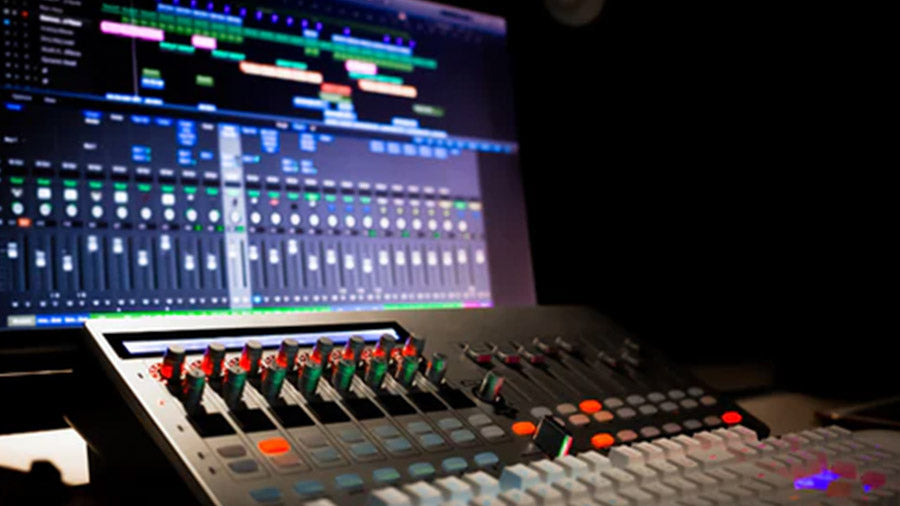
You don’t need to learn every feature in Logic Pro before making music. This guide takes you through setting up the software, finding the main controls, and creating your first project with audio, MIDI and built-in instruments. Start with the basics and build your confidence as you go.
What is Logic Pro X?

Originally developed in the early 1990s and acquired by Apple in 2002, Logic Pro X has evolved into a comprehensive digital audio workstation that caters to both professional music producers and aspiring artists. This powerful software suite combines professional-grade features with an intuitive interface, making it a preferred choice for music creation, recording, and production.
Overview of Logic Pro X
Logic Pro X represents Apple's flagship music production software, designed exclusively for macOS. It serves as a complete professional music production system, offering both simplified and advanced modes to accommodate different skill levels. The software seamlessly integrates with Mac hardware, providing a stable and efficient platform for creative work. With its one-time purchase model of £199.99, Logic Pro X offers an affordable entry point into professional music production.
Key features and capabilities
Logic Pro X comes packed with professional-grade features that set it apart. The smart tempo feature allows musicians to record without a metronome, automatically analysing performances to create custom tempo tracks. Drummer Tool is a sophisticated virtual session player that intelligently adapts to your music style across various genres
Extensive Sound Library Includes
Logic Pro X offers an extensive sound library, including 13,552+ Apple Loops, 1,250 Sampler instruments, 3,556 Alchemy presets, and 150 Drum Machine Designer kits. It supports high-resolution audio up to 32-bit/192kHz and can handle up to 1,000 stereo audio tracks, 1,000 software instrument tracks, and 1,000 auxiliary tracks. Its built-in mixing and mastering tools deliver professional-quality sound processing.
While Apple’s library offers a wide range of loops and samples, they have a limited selection of natural percussion sounds. That’s why we developed our own collection of premium sound effect packs, recorded from traditional instruments around the world. Explore our unique sound packs here and enhance your music with authentic, high-quality samples of world percussion, including instruments like the kalimba, guiro, world drums, and more.
Comparison to other DAWs
Logic Pro offers Mac users recording, composition and mixing tools beyond GarageBand’s simpler setup. FL Studio suits pattern-based electronic production, while Ableton Live supports performance-focused workflows. Pro Tools is widely used for recording and audio post-production; Cubase combines composition and recording tools. Both offer Windows options, unlike Logic.
Setting Up Logic Pro X
Getting started with Logic Pro X requires careful attention to system requirements and proper setup. Before diving into music production, let's ensure your Mac is ready to handle this powerful digital audio workstation.
System requirements
To run Logic Pro X smoothly, your Mac should have macOS 11.5 or later, at least 8GB of RAM (16GB recommended for professional use), 6GB of storage for installation, and 72GB for the full Sound Library. It requires an M1 chip or an Intel-based Mac with a 4-core processor (2.0GHz+). For professional recording, an audio interface is recommended.
Installation process
To install Logic Pro X, open the Mac App Store and search for Logic Pro X and click "Buy" or Try the 90-day free trial. Enter your Apple ID credentials and wait for the download to complete. Upon first launch, choose between Simplified or Complete Mode. For optimal performance, configure audio settings by navigating to Logic Pro X > Settings > Audio, adjusting the I/O Buffer Size (lower for recording, higher for mixing).
Select your external audio interface as input and output if needed, and consider installing the Sound Library on an external drive to save space. For large projects or extensive plugins, increase your RAM allocation, especially if working with multiple virtual instruments or sample libraries. A system with 16GB of RAM or more is recommended for film scoring or complex productions. Macs with the M1 chip offer excellent audio performance with minimal latency. Regularly check for software updates through the App Store to ensure compatibility and performance.
Navigating the Logic Pro X Interface
Understanding Logic Pro X's interface is crucial for efficient music production. The workspace is thoughtfully designed to provide quick access to all essential tools while maintaining a clean, organized layout for your creative process.
Main workspace overview
The main workspace in Logic Pro X is the Tracks Area, where music creation takes place. It displays your project timeline with horizontal strips for each track (audio, MIDI, or software instruments). The Control Bar at the top includes key functions like play, record, tempo controls, and the metronome.
Key elements include the Timeline Ruler (showing bars, beats, and time), Track Headers (with track names, record arm buttons, and volume controls), Playhead (indicating current playback position), Regions (containing audio or MIDI data), and Transport Controls (play, stop, record, and navigation buttons).
Key windows and panels
Logic Pro X offers several key windows and panels to enhance your workflow. The Library panel provides quick access to instruments and presets, while the Inspector shows detailed track or region parameters. The Mixer window (X key) allows you to balance tracks and manage effects, and the Piano Roll Editor and Audio Editor help with MIDI and waveform editing. You can customise your workspace layout by saving window arrangements and using Screen-sets for quick layout switching.
Zoom controls allow precise adjustments, and the Smart Controls panel offers customisable track parameters. Use the Loop Browser (O key) for Apple Loops and audio files, and the Media Browser for project audio organization. The interface supports light and dark themes, and you can adjust track view brightness. Customize the Tool Menu for faster access to editing tools, and use the Key Commands window (Option + K) for shortcuts. Most windows can be detached for multi-monitor setups.
Creating Your First Project
Open Logic Pro and create a new project. Choose a Software Instrument, Audio or Drummer track, then set your tempo and time signature to suit your music. Name the project, choose a save location, and save it as a package or folder. Alternatively, use a Project Chooser template to start with instruments and effects already configured.
Adding and recording tracks

To add and record tracks in Logic Pro X, first, create your project and select the track type: Audio (for vocals, guitars, etc.), Software Instrument (for virtual instruments and MIDI), Drummer (AI-powered virtual drummer), or Pattern (for repetitive sequences and beats). Enable the track for recording (red flashing button) and ensure the input meter shows activity when playing or speaking.
For software instruments, use a MIDI or computer keyboard. Logic Pro X also offers a vast library of loops, software instruments, and tools like Quick Sampler and Drum Machine Designer. Use the Loop Browser to access pre-made loops that match your project's tempo and key. The Step Sequencer helps create rhythmic patterns and melodies, while the musical typing window allows you to record without external MIDI hardware. Use the quantize feature for timing, and Flex Time to adjust audio timing without affecting pitch.
Creating a Balanced Stereo Mix
Use EQ to reduce frequency clashes and panning to spread sounds across the stereo field. The EQ preset pack and universal panning template offer starting points in Logic Pro X. Adjust them to suit your instruments, checking the whole mix so each part remains clear without overpowering the others.
Get More Out of Logic Pro

Knowing where the controls are is a useful start, but getting more out of Logic Pro means learning what to create with them. Choosing sounds, building drum patterns, writing basslines and melodies, and developing a loop into a complete arrangement are skills you can build through practice.
Become a Producer gives you a structured path through those skills, with practical exercises and a final project to help you create a finished instrumental. The book uses Logic examples while teaching production principles you can apply beyond a single piece of software.